
In TORSH Talent, we offer a Translation tool that allows you to seamlessly switch your account's view of the platform to another language! This view runs off of a Google Translate capability and modifies the text displayed across the entire platform - even where comments and feedback have been entered!
For multi-language training, this allows Admins, Coaches, and Mentees to easily communicate with one another across TORSH Talent regardless of their preferred language! Simply click the 'globe icon' in the top, right-hand corner of TORSH Talent, and select your preferred language.
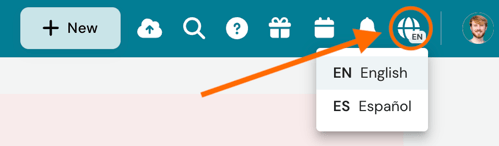
NOTE: We currently only offer English and Spanish translation in the immediate platform with this tool.
By default this tool is disabled for most Systems in Talent. If you wish to have this tool enabled, please reach out to your Customer Success Manager!