As an Admin, you can provide Companion Resources for your Learning Path modules. Companion Resources are PDF documents your learners can access for quick access throughout their completion of the module. For instance, maybe you want a form that provides general information about the module/course. Or maybe you want to provide a helpful guide on how to work through and complete a module.
NOTE: Companion Resources are not to be confused with the Resources tab or the artifacts uploaded to a Resource component. Companion Resources are a separate tool made to highlight specific PDF documents you may want to include.
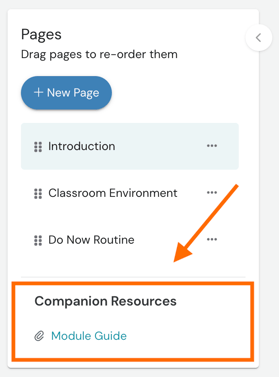
Once a companion resource is uploaded to the Learning Path module, it can be found on the left-side panel beneath the 'Pages' listing.
How To Add a Companion Resource To a Module
To add a companion resource to a Learning Path module:
-
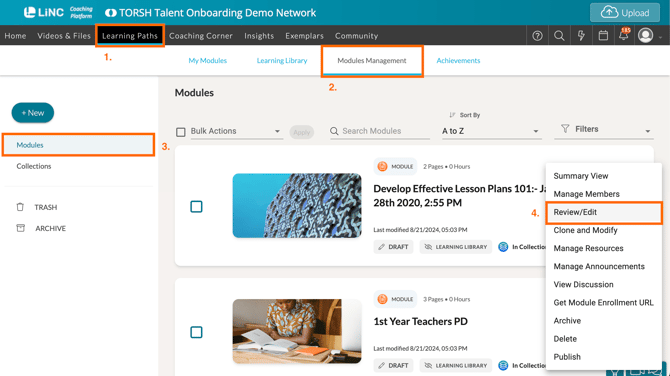
First locate your module by opening 'Learning Paths' in the top navigation bar.
-
Then navigate to the 'Modules Management' tab.
-
Then make sure you select the 'Modules' section via the left-side panel in Modules Management.
-
Click on the '...' icon beside the specific module listing and select 'Review/Edit' in the dropdown menu.
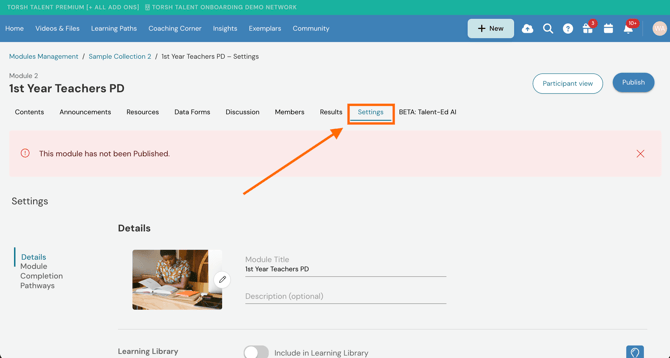
- Within your module, click on its 'Settings' tab found in the module's overhead tabs.
- Scroll down the Settings page until you reach the 'Companion Resources' section. Click '+ Add PDF resource.'

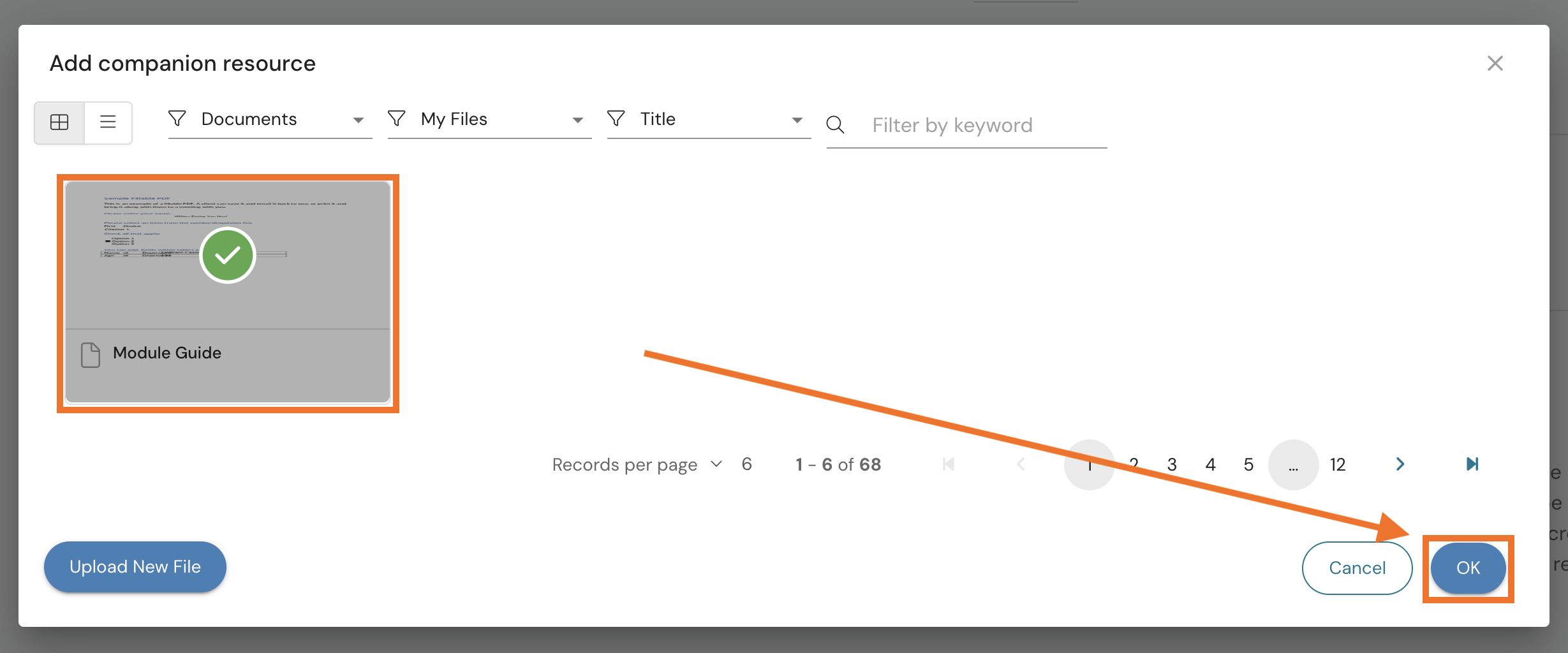
- In the pop-up that appears, click on one of the available PDF documents you have uploaded to your account to select it. Companion Resources can only be PDF documents, so this tool will only display PDFs uploaded to your account. You can also choose 'Upload New File' if you would like to include a new PDF document to your account to choose from.
Once you have clicked on the PDF document, select 'OK' in the bottom, right-hand corner to finish your companion resource selection.