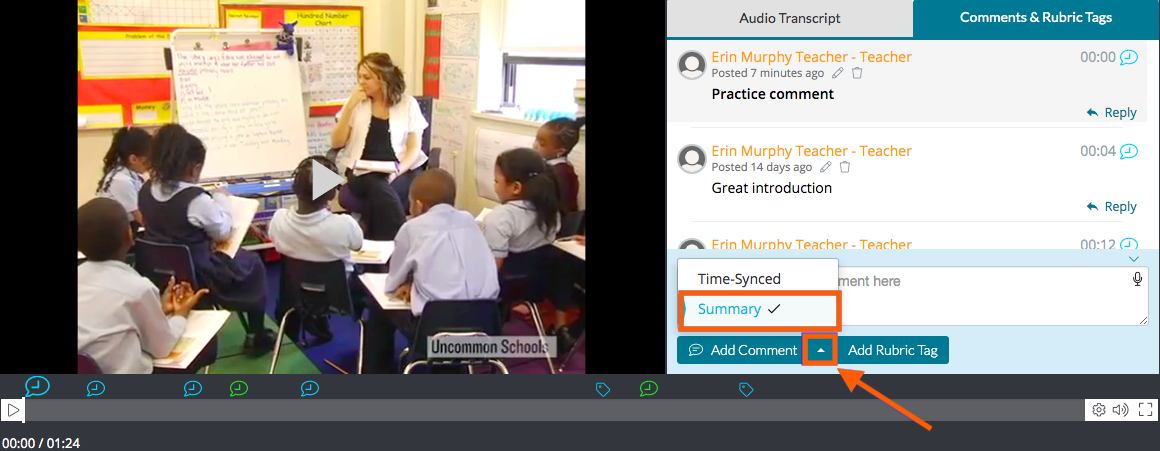
Summary Comments are not tied to a specific moment in the video. They are mostly used for general reflection prior to or after watching the video.
To leave a Summary Comment, click on the 'upward pointing arrow' on the right side of the 'Add Comment' button and switch your comment type from 'Time-Synced' to 'Summary.' Once you've entered the comment, click 'Add Comment' again to post it. Summary Comments will always live beneath any Time-Synced Comments or Rubric Tags in the comment box pane.