
Note: This feature is only available for Premium systems.
As an Admin of a TORSH Talent system, you can customize the label for 'Observations' to appear in your system as whichever term works best for your organization! You can even change the Formality terms to select when completing an observation.
To do so, first click on 'System Settings' from the Management Panel on your homepage.
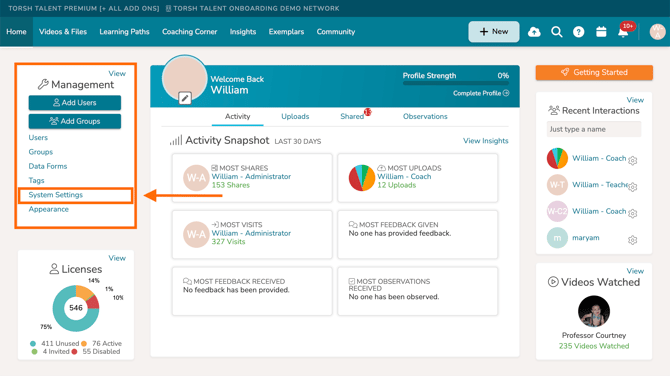
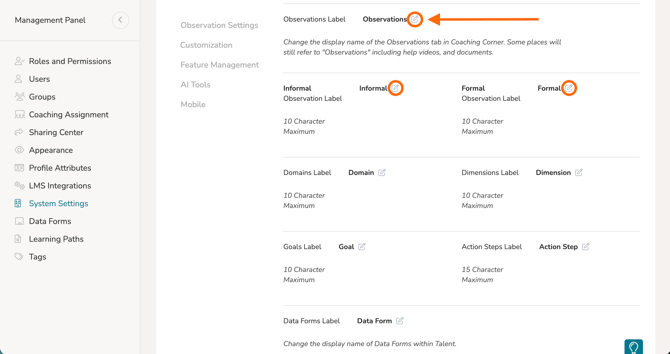
Once there, use the navigation bar to jump down to 'Customization' and find 'Observations Label.' Click the 'pencil icon' to change the name of the label. When you're done, click the blue 'checkmark button'. The Observations label across your system will now appear as whatever you changed it to!
To rename the 'Formal' and 'Informal' Observation formalities to whatever you would like, click the 'pencil icon' next to the 'Informal' and 'Formal' labels. Please keep in mind that there is a 10-character limit. When you're done, click the blue 'checkmark button'.
Rather watch a video? Check out our tutorial on System Settings here. HIPAA users, click here.