
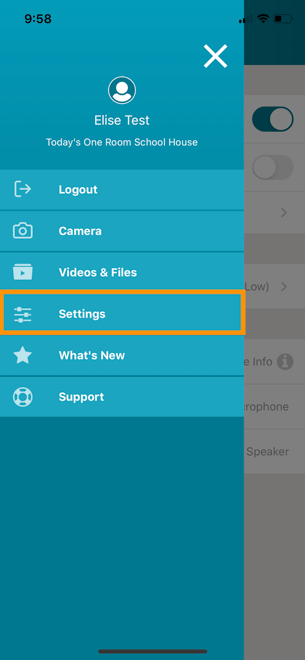
By default, the video quality on the TORSH Talent mobile app is set to Low for Android devices and Medium on iOS devices. To change the video quality of your recordings on the app, first navigate to the menu icon in the top left corner of the app and select 'Settings.'
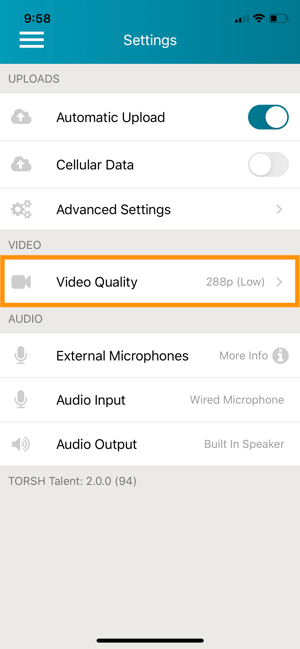
From there, choose 'Video Quality.'
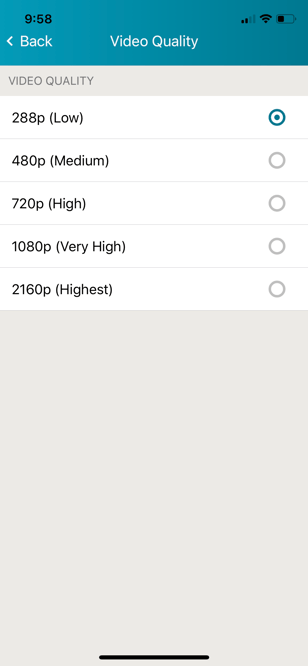
You'll then be able to set your desired video quality. Please note that the higher you set your video quality, the longer it will take for your video to upload due to the increased file size. It is recommended to keep it at 288p (Low).
Rather watch a video? Check out our tutorial on TORSH Talent App Settings here. HIPAA users, click here.