
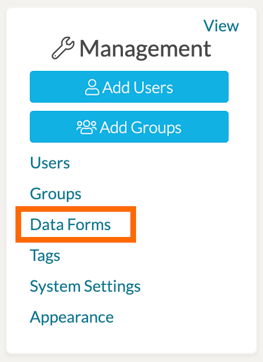
As a System Admin, you can choose the specific score display for each data form Rubric template in your system. To do so, first click on the 'Data Forms' page of your Management Panel.
This will bring your to your Data Forms Management page, listing all of the data form templates that exist in your system. Find the Rubric template you would like to modify and then click its '...' icon and select 'Modify.'
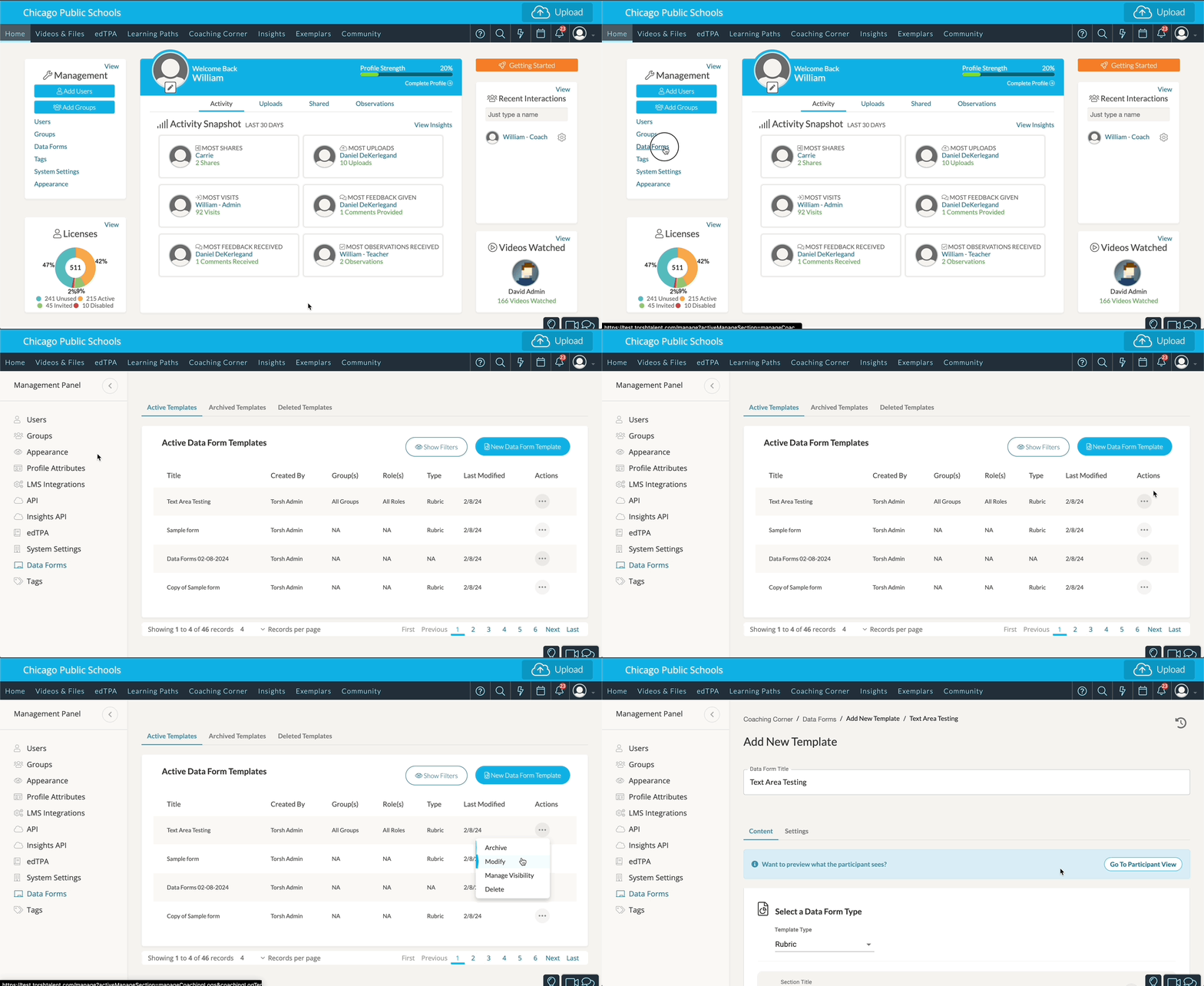
To change the settings of your specific rubric template, click on the ‘Settings’ tab at the top of your data form template page.

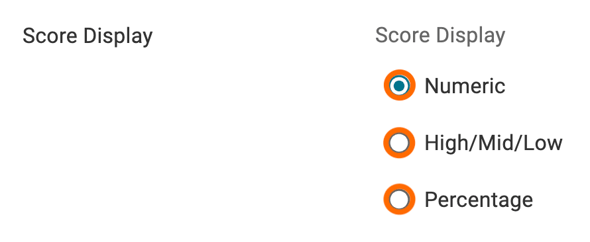
By default, your rubric data form template will display its scores with 'Numeric' values. You can instead choose to display them as either 'High/Mid/Low' rating values or 'Percentage' values.
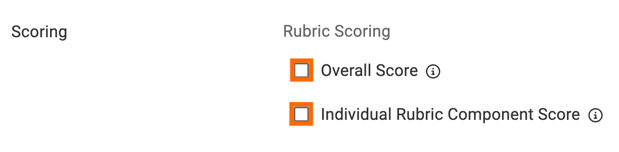
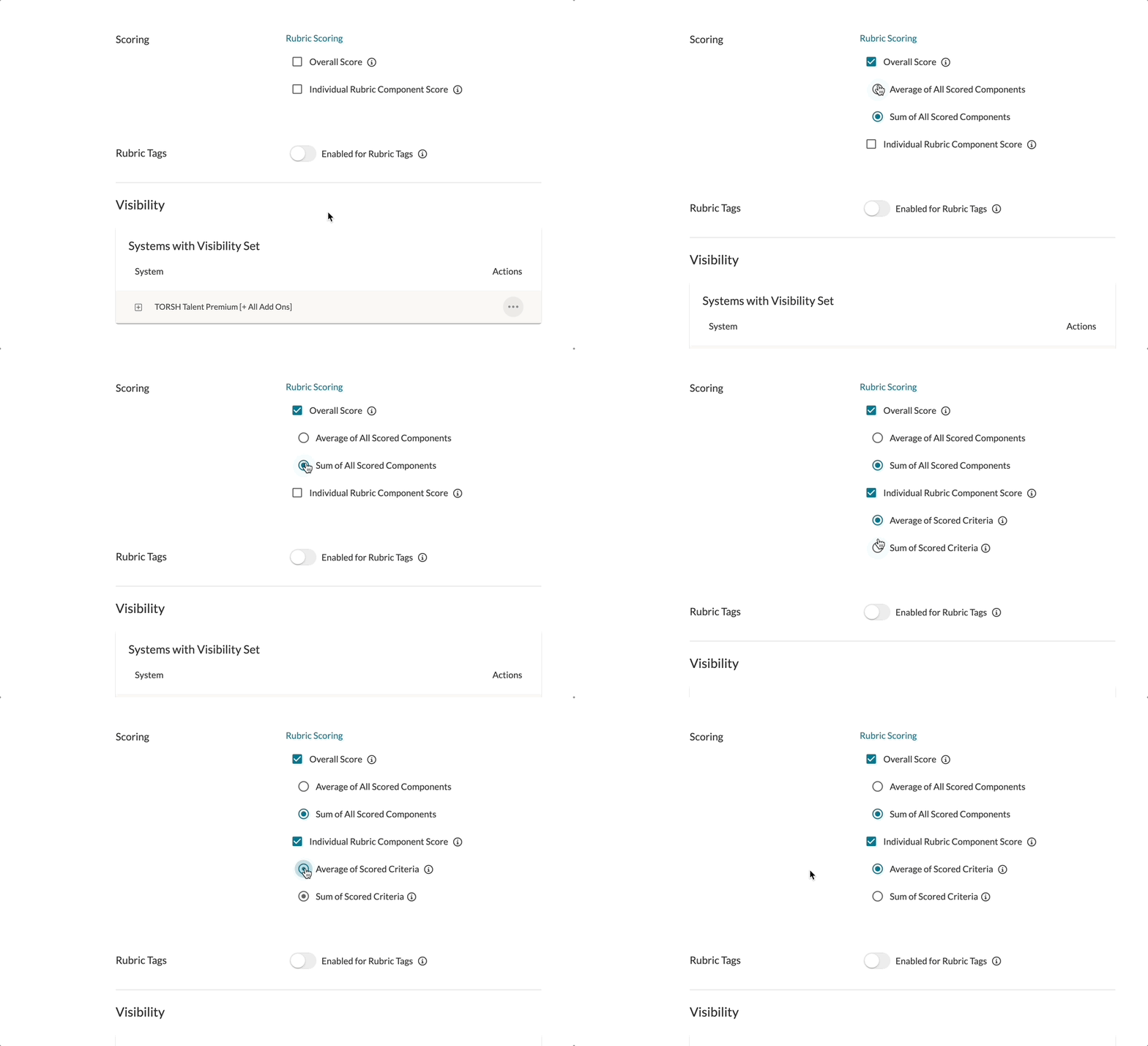
For Rubric Scoring, you can check off whether or not you would like to display the Overall Score to the rubric and/or the Individual Rubric Component Scores.
- Overall Score - When this Data Form is used in an Observation, an overall score will be computed using all Rubric Grid components in the Data Form.
- Individual Rubric Component Score - When this Data Form is used in an Observation, a score will be computed for each individual Rubric Grid component in the Data Form.
Selecting either will bring up further options specific to the scoring. For instance, enabling the 'Overall Score' will bring up further selections:
- Average of All Scored Components - The Overall Score will average all Individual Rubric Component Scores.
- Sum of All Scored Components - The Overall Score will sum up all Individual Rubric Component Scores.
Enabling the 'Individual Rubric Component Score' of the Rubric template will also bring up further selections:
- Average of Scored Criteria - The Individual Rubric Component Score will display for each component as an average of all criteria answer choices selected.
- Sum of Scored Criteria - The Individual Rubric Component Score will display for each component as a sum of all criteria answer choices selected.
NOTE: Any changes made to your Rubric score settings will affect the way all recorded scores for Observations Completed using this rubric template appear in Report Builder - including scores made before your settings change.
If you would instead like to keep the way your scores looked in the data before making these changes, it may be best to duplicate the rubric template, archive the old one, and then adjust the scoring settings on your new template.