
As a Mentee enrolled in edTPA, if you want to complete and submit your edTPA Portfolio, first click 'edTPA' from the top navigation bar. You will then be directed the 'My edTPA' page.
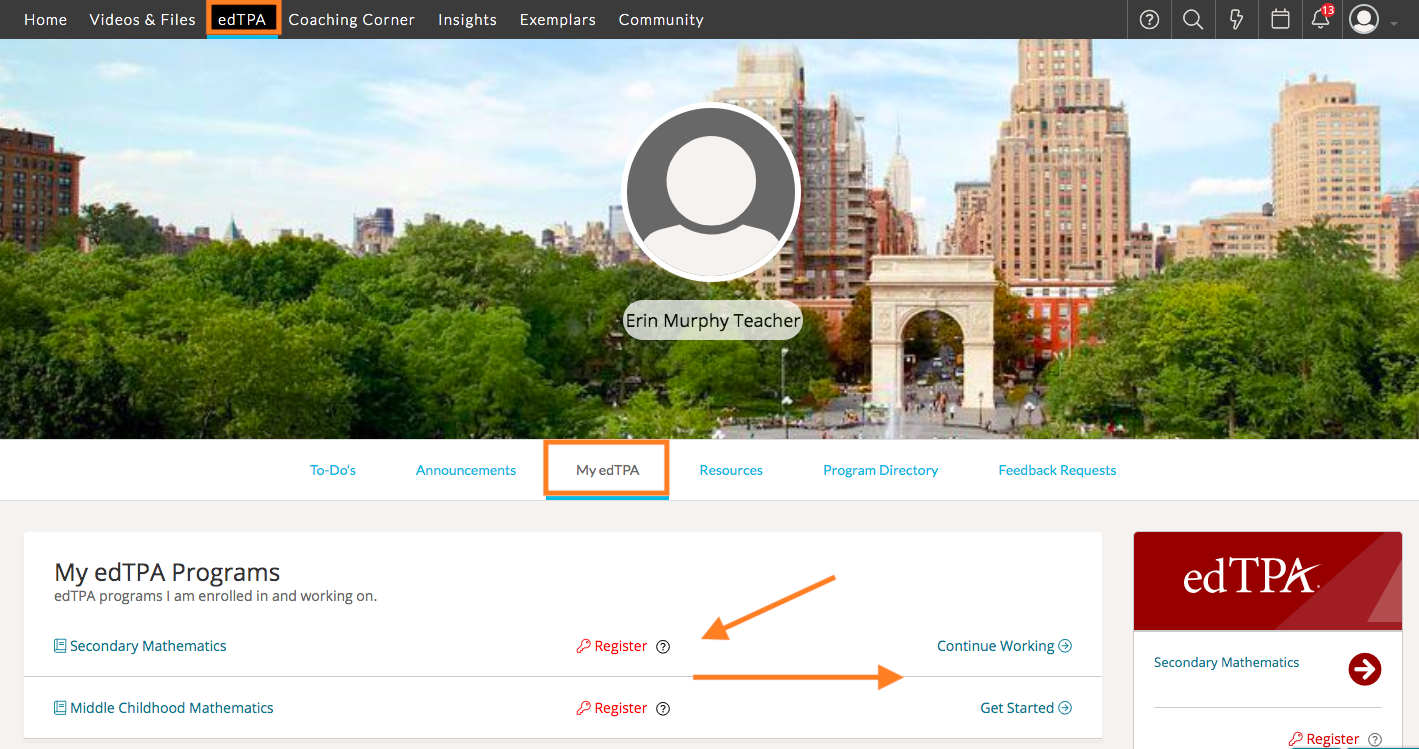
Here you will see the edTPA programs you are currently enrolled in and working on. All candidates must register on the edTPA website by clicking the 'Register' button across from their programs listed here.
Once you finish registering for a program through Pearson, you will be emailed an Authorization Key. Please keep this key, as it will be necessary to transfer your completed portfolio from TORSH Talent to Pearson.
After registering, you can always login to Pearson directly to retrieve your Authorization Key.
Once you are ready to begin on your portfolio, click 'Get Started.' Before beginning, read the handbook linked in the 'Instructions.'
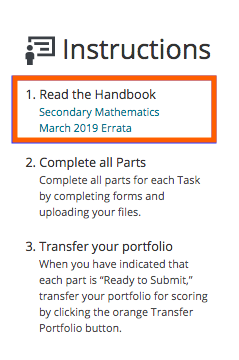
Next, complete all parts for each listed Task by completing forms and uploading your necessary files for submission.
Once you have completed all tasks and you are ready to submit, transfer your portfolio for scoring by clicking on the orange 'Transfer Portfolio' button at the top of your listed program page. Please note that you will only be able to transfer your portfolio once all the tasks are 'Ready to Submit.'
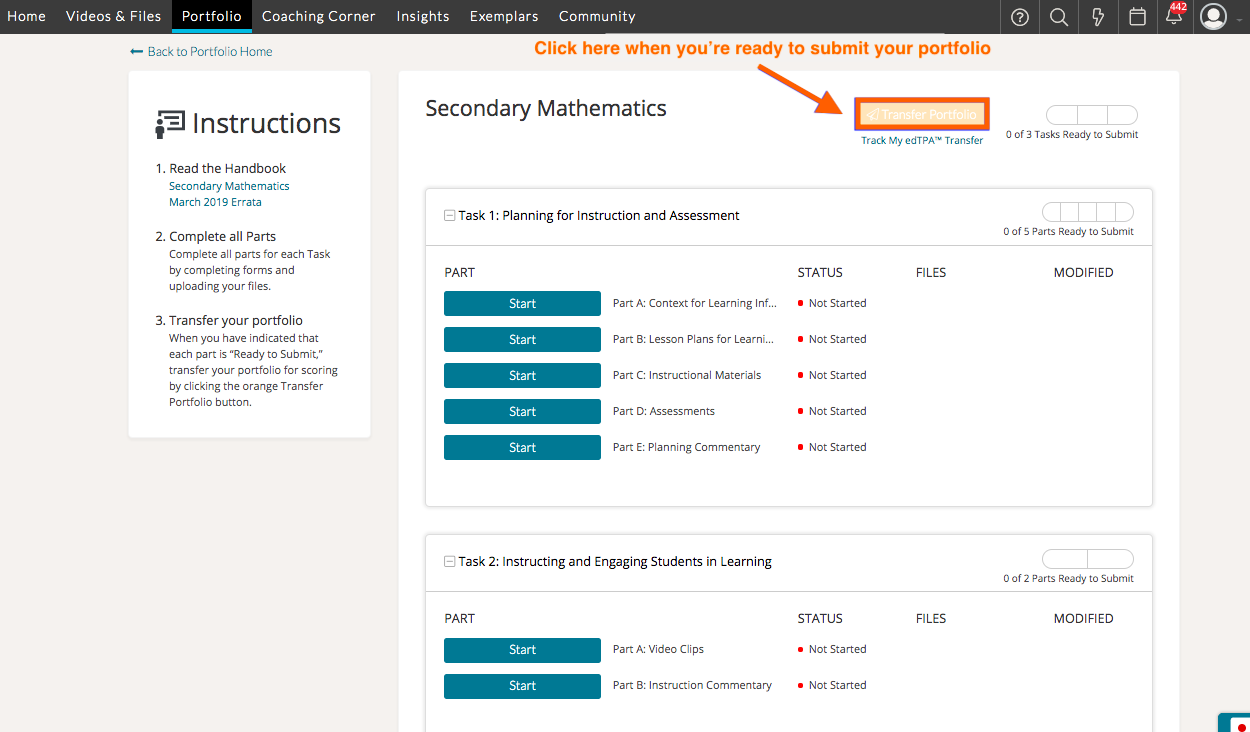
After your click this, you will be prompted to enter the associated Authorization Key emailed to you after you initially registered for the program. If you cannot find the authorization key email, you can also find the key by logging into edTPA directly on the Pearson website.
Once you initiate a transfer of your edTPA Portfolio from TORSH Talent to Pearson, you will see the date of the last transfer requested above the 'Transfer Portfolio' button within your edTPA portfolio.
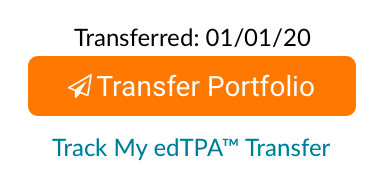
You can track the status of your transfer by clicking the 'Track My edTPA Transfer' link.
NOTE: If your transfer is still in progress, we do not recommend re-submitting your portfolio until the transfer completes to avoid a transfer failure message. Once the portfolio transfers successfully, you can make edits and resubmit it if you choose.