
Note: This feature is only available to Premium Systems.
In TORSH Talent, you can schedule meetings and events that sync with any external calendars you have outside of Talent using your My Calendar page.
To configure your calendar in TORSH Talent, first click on the 'calendar icon' in the top, right-hand corner of your navigation bar. Once on your My Calendar page, select the 'Configure' option in the top, right-hand corner.

You can then set your preferences for event types, availability, and other settings regarding your scheduling.
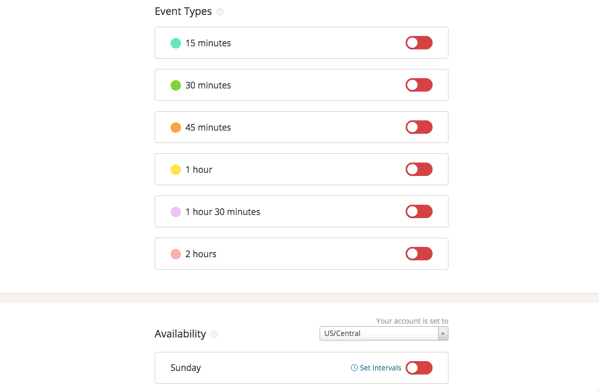
Now other users will only be able to select times that work for you when scheduling events. If you choose to sync your Google or Microsoft Outlook calendar at the bottom of the page, any event scheduled in Talent will be added to your primary external calendar.
You can go back to edit these settings in the Configure menu at any time.