
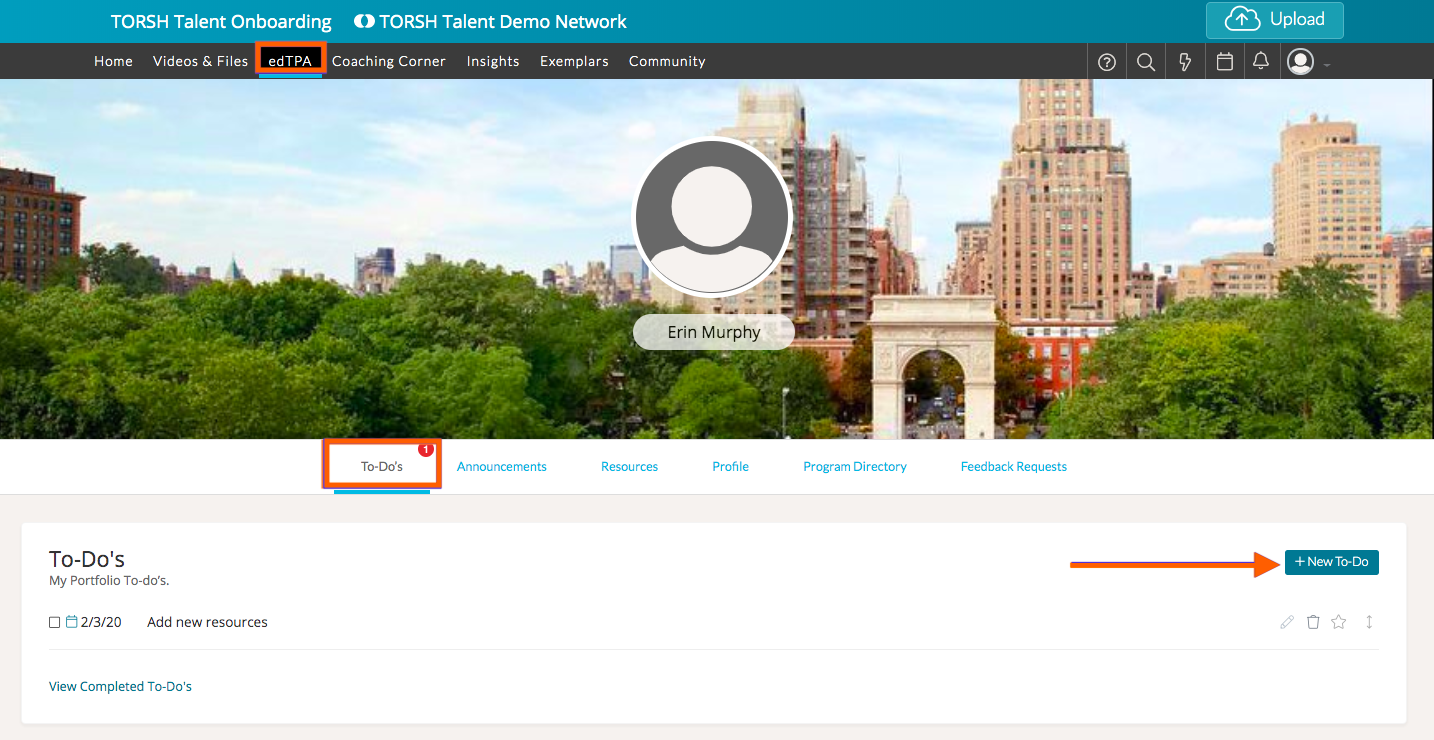
If you want to create and manage To-Do items in edTPA, you can do so by clicking 'edTPA' on your navigation toolbar. Then, click the 'To-Do's' tab. Once there, click '+New To-Do.'
Now, you can give your To-Do a due date and type in your To-Do in the designated box. Once done, click '+Add To-Do.'

After a To-Do has been created, it can be managed. To mark it as complete, click the check box to the left of the To-Do. You can edit it by click on the pencil icon, delete it by clicking the trash icon, prioritize it to the top of the list by clicking the star icon, and rearrange your To-Do's by clicking on the arrow icon and dragging the To-Do to where you want it in your list.

Once a To-Do is marked as complete, it will be moved to your 'Completed To-Do's' list. You can access them by clicking 'View Completed To-Do's.'
