
On your Videos & Files page, you can create a new collection by duplicating an existing collection from 'My Collections' or collections 'Shared With Me.'
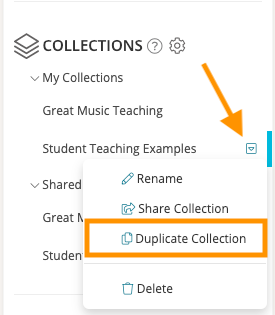
To do so, navigate to your Videos & Files page and scroll to the Collections list on the left-side panel. Click on the collection that you would like to duplicate and hover over the small arrow that appears to the right of the collection name. In the dropdown list, click 'Duplicate Collection.'
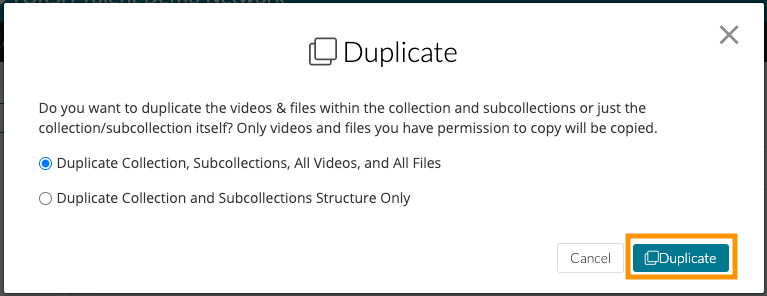
You will see the option to either duplicate the collection with all of its contents or to duplicate only the structure of the collection with its included subcollections. Select the option that you prefer and click 'Duplicate.'
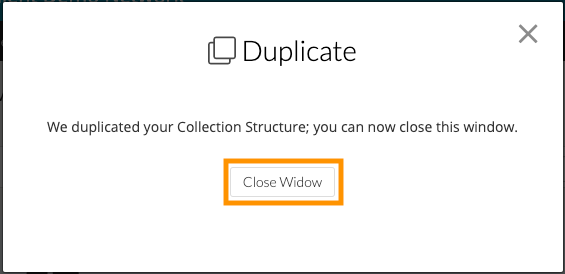
Once your collection has been duplicated, you will see a message that confirms that the collection has been duplicated. Click 'Close Window' to return to your Videos and Files page.
NOTE: When you duplicate a collection, any artifact that is duplicated will follow any 'Automatic Sharing' settings you have enabled for your account or any Sharing Rules enabled for your system.