
In TORSH Talent, you can Clone and Modify completed Observations and Self Assessments. This can be useful for coaches who need to perform an observation on several mentees from one session. Instead of copying and pasting into a new observation, coaches can instead clone and modify the observation as needed and then modify who the observation was performed for!
Cloning an Observation from Coaching Corner
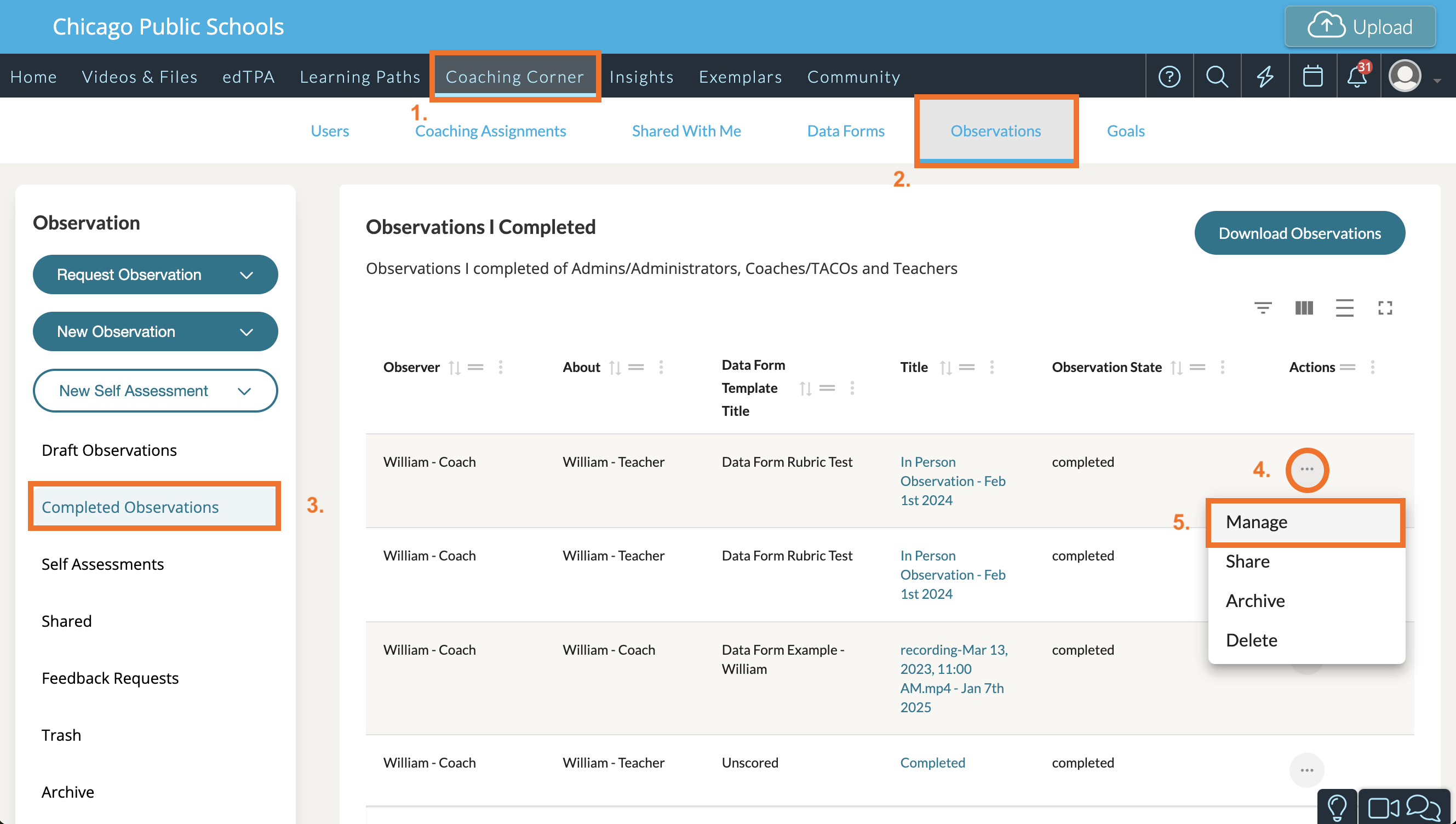
To duplicate an observation, first navigate to Coaching Corner. Next, click the 'Observations' tab.
On the Observations page, look to the far, left-side panel and select Completed. Once you have done so, find the completed observation you would like to duplicate.
Click the '...' icon associated with that observation listing. A dropdown menu will appear. From the dropdown menu, select 'Manage.'
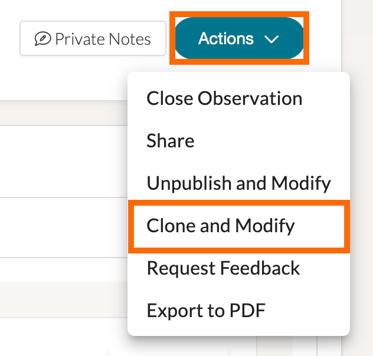
This will take you to your original observation. In the top, right-hand corner of your observation, click the 'Actions' button to display a list of options. From the dropdown, select 'Clone & Modify.'
This will take you to the page of the cloned observation, displaying the message at the top:

NOTE: If you wish to delete the attached observation, you may do so by selecting the 'Attachments' tab on the observation page, finding the attachment in the right-hand corner and clicking the recycling bin icon.
Assigning a Cloned Observation to a New Mentee
To assign the cloned observation to a new user, navigate to the cloned observation. Then click the 'Overview' tab. In the overview description, next to 'Observation For:' you will find the name of the mentee the original observation was assigned to. To change this, click the pencil icon next to the mentee's name. A 'Select User' pop-up will appear.
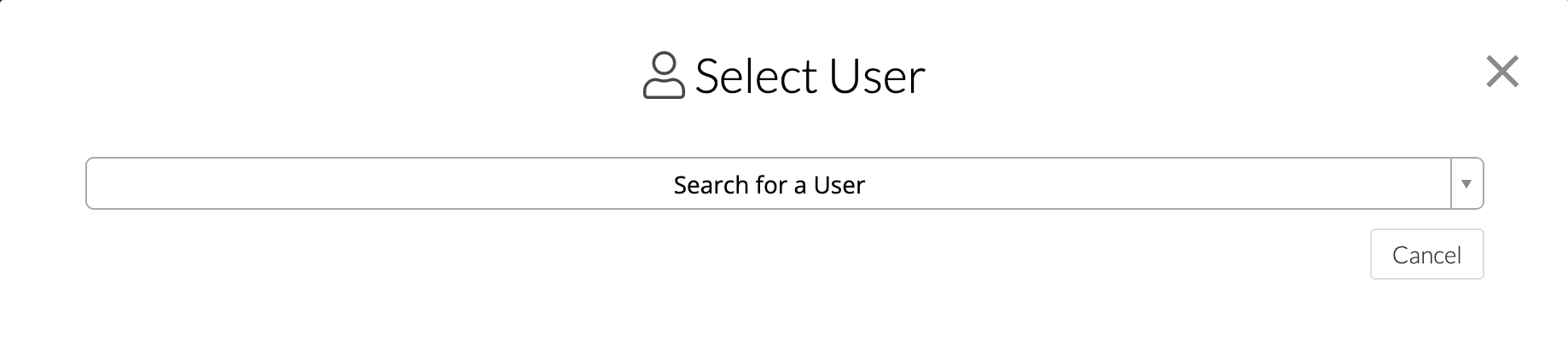
From here, click 'Search for a User' and then type in the name of the user you would like to assign this cloned observation to. When you are pleased with your choice, click the 'Select' button.
NOTE: Don't forget to scroll up and click 'Complete & Share' to make your clone observation viewable to the new user!