
If you are the user who initiated the Zoom video call in TORSH Talent, you will be able to end the meeting by selecting ‘End Meeting’ at the bottom-right of your Zoom window.

Next, select ‘End Meeting for All’.
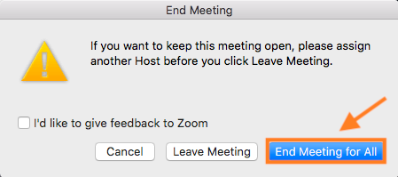
If you’d like to keep the meeting open after you leave, you can assign another host by clicking ‘Manage Participants’ on your Zoom window before leaving the meeting.
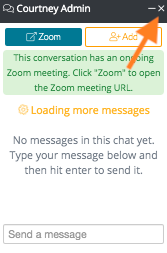
After you have ended the meeting, navigate back to the TORSH Talent window. To close out the chat box in Talent, click the ‘X’ button.
Lastly, you will be prompted to leave the call by selecting ‘Leave Call.’
