As a System Admin, you can enroll an individual or a group to a Learning Path course! Before you begin, make sure your Learning Path course is Published.
-
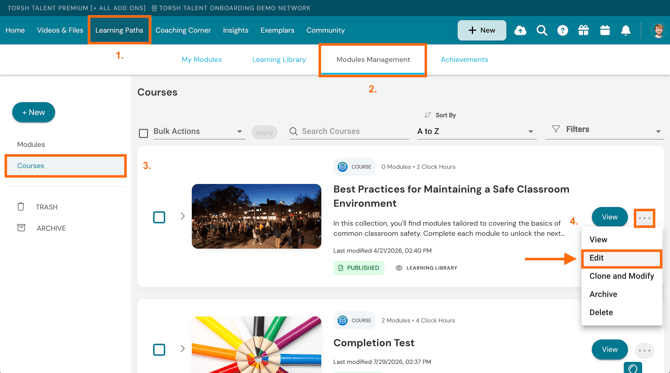
To enroll members to a Learning Path course, first navigate to 'Learning Paths' in your top navigation bar.
-
Next, select the 'Modules Management' tab.
-
On the Modules Management page, click on 'Courses' on the far, left-side panel.
-
Hover over the '...' icon next to the 'View' option of a specific module. A dropdown menu will appear. From the dropdown menu, elect 'Edit.' This will bring you to the general Edit view of the course.
Enrolling Learners to a Course
On the course's Edit view, click on the 'Members' tab. Here you can manage and modify members as needed. Click the 'Add Learners' button to add any individuals or groups to the course.
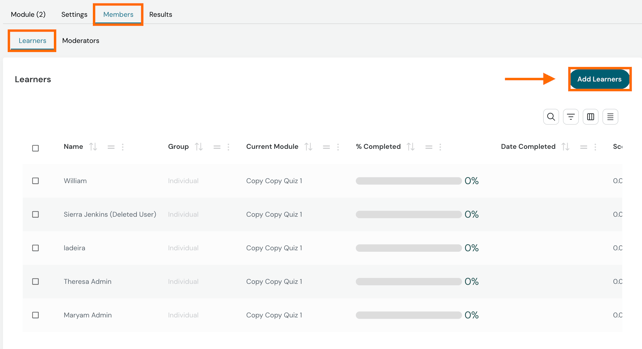
NOTE: Enrolling a Group to a Learning Path course will enroll every past, present, and future member of that group to the assigned course.
Press the blue 'Add' button to save your changes.

Enrolling Moderators to a Course
On the course's Edit view, click on the 'Members' tab. Here you can manage and modify members as needed. Click the 'Add Moderators' button to add any individual moderators to the course.
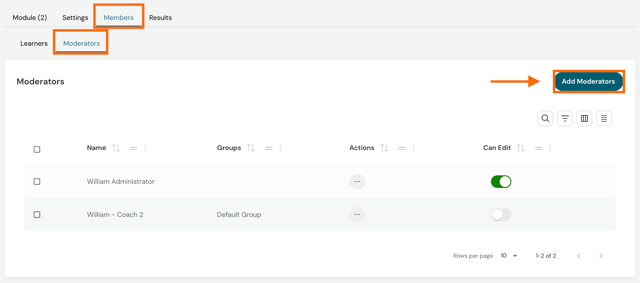
Press the blue 'Add' button to save your changes.

Enrolling Learners To Sequential Courses
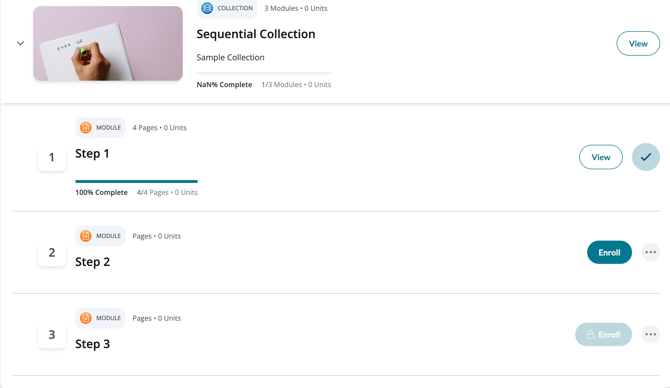
If you marked your course to be sequential, enrolled learners will be enrolled to the first module of the course, but will not be given the option to enroll in any of the following modules until after the first module has been completed.
After clicking the 'Enroll' button, the button becomes a 'Begin' button to begin the next module. Otherwise, the 'Enroll' button for following modules will appear as locked and will be greyed out (see below).
Enrolling Learners To Non-Sequential Courses
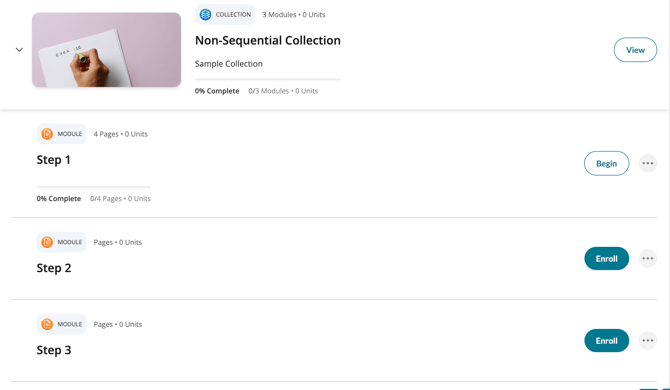
If the course is non-sequential, learners will have the option to enroll themselves in any of the modules at any time and in any order they like.
After clicking the 'Enroll' button, the button becomes a 'Begin' button to begin the module of their choice (see below):