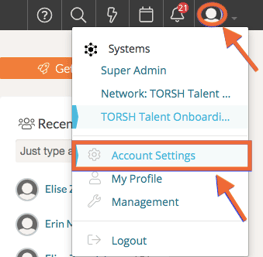
Upon first activating your account in TORSH Talent, you can modify the first and last name displayed after following your account invitation link. If you would like to change your first or last name in TORSH Talent after your account was activated, you can easily modify this from your Account Settings page! First click on your 'profile icon' in the top, right-hand corner of Talent and then select 'Account Settings' from the dropdown menu.
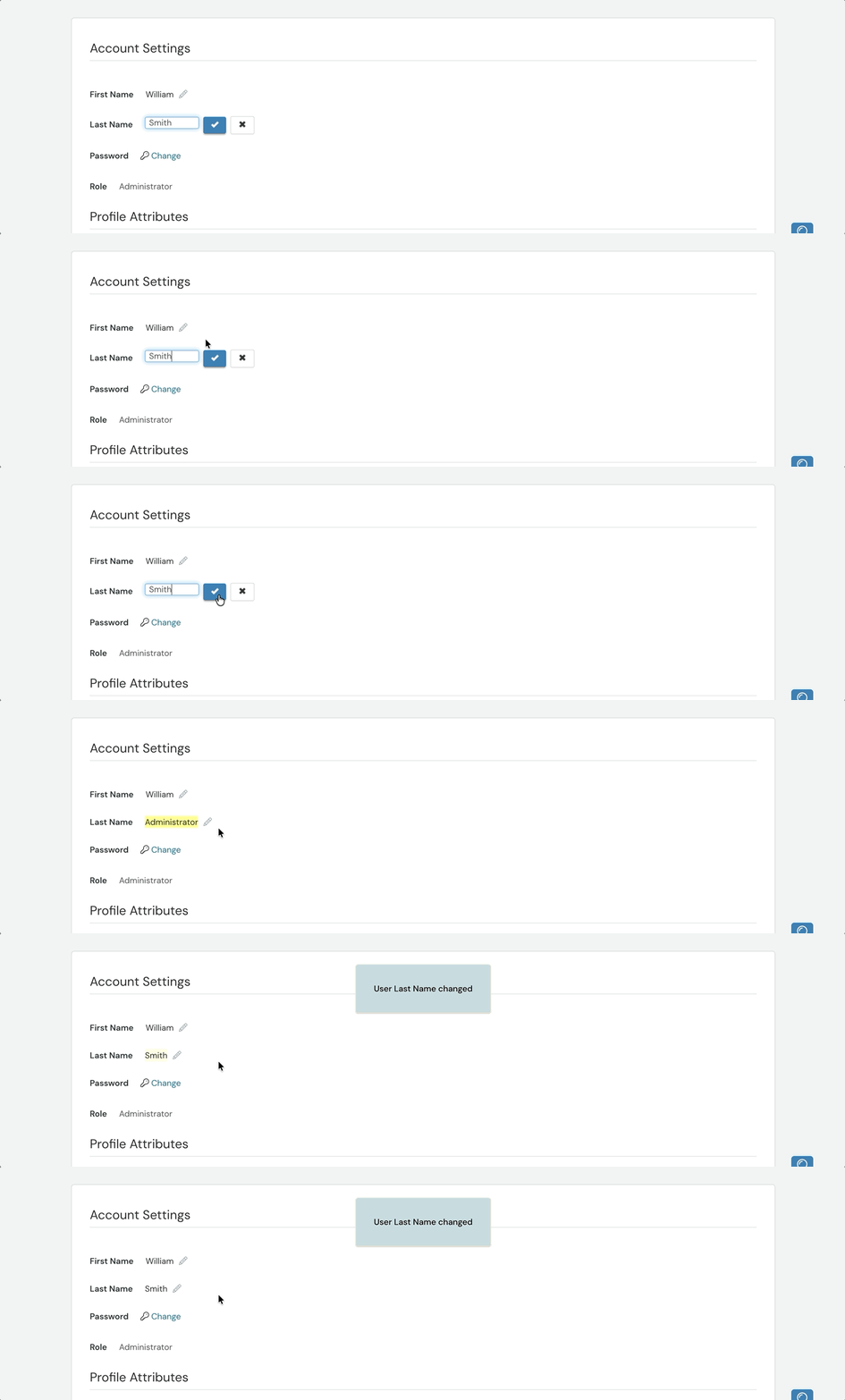
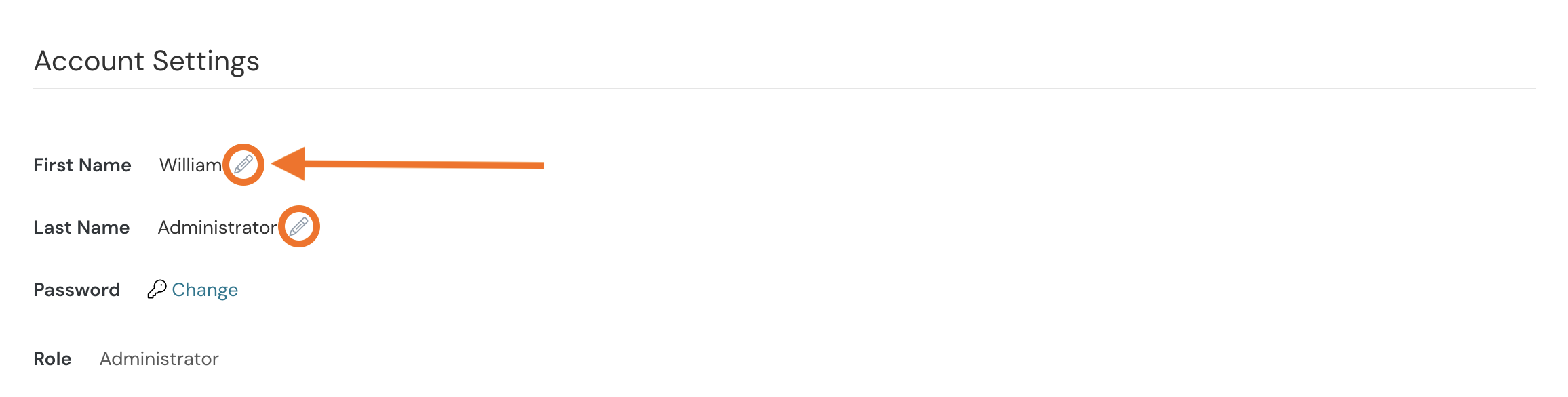
At the top of your Account Settings page, you'll find your First Name and Last Name displayed. To modify each, click on the 'pencil icon' beside the name and enter the name you would like to display using your keyboard.
To save your changes, click on the 'checkmark' icon beside each text field. Your name will automatically update throughout your system!