When your users complete a Learning Paths module or course with a digital certificate award, they will receive the certificate via an email notification from talent@torshnotification.com
If they do not receive the email or would like to print another copy for their records, you can view the certificates earned by all users in your system to Learning Paths by viewing the Achievements tab!
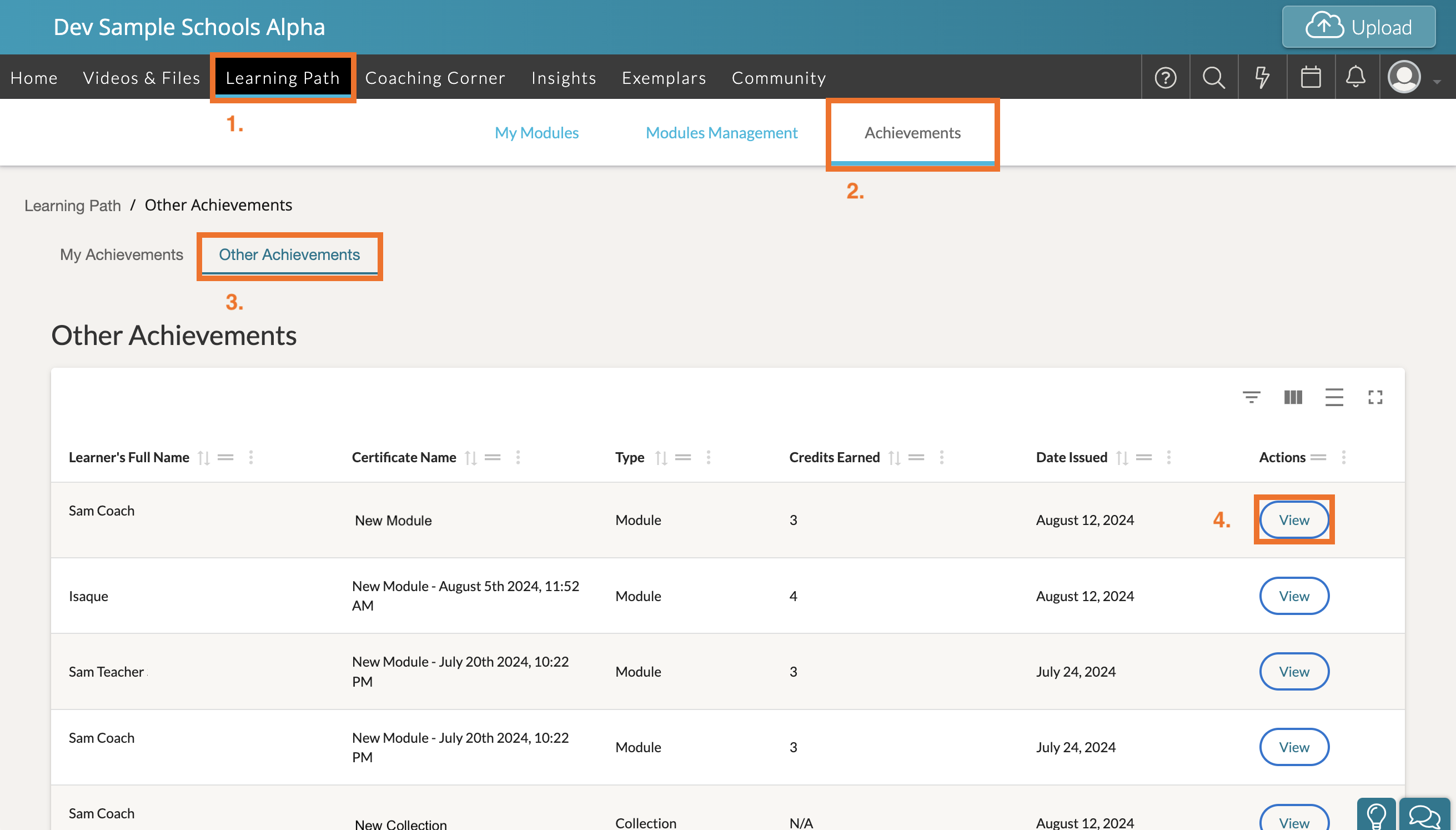
- To reach the Achievements page, first open 'Learning Paths' in your top navigation bar.
- Then click the 'Achievements' tab at the top. You will be able to see both your 'My Achievements' tab for the certificates your Admin account has earned as well as the 'Other Achievements' tab, which displays the certificates earned by all users in your system.
- Click 'Other Achievements' to view the digital certificates earned by other users in your system.
- Find your user's completed module or course title and then click 'View' to view the certificate. Doing so will automatically load the certificate from a print preview screen. Here you can choose to either print a physical copy of their certificate, or you can choose to save their certificate as a PDF.