
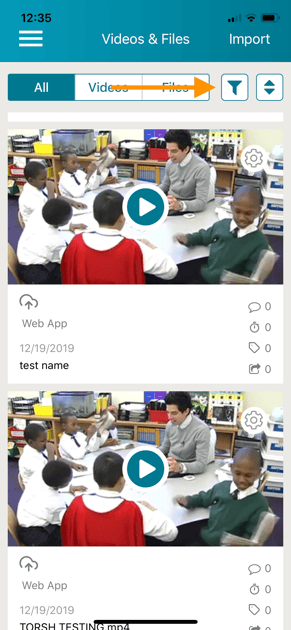
To see videos or files that have been shared with you on the TORSH Talent mobile app, go to your 'Videos & Files' page. Once there, click on the filter icon in the upper right corner.
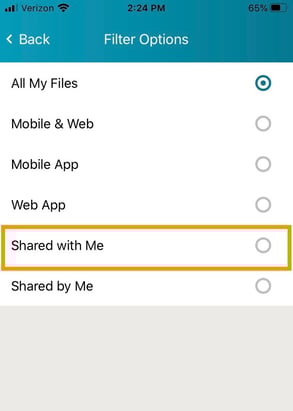
Then select 'Shared with Me.'
Rather watch a video? Check out our tutorial on Using the Videos & Files page in the TORSH Talent app here. HIPAA users, click here.