
To un-share an artifact or modify a user's Sharing Permissions , first open the artifact you would like to un-share or modify. On the artifact's webpage, click on the orange 'Share' button in top, right-hand corner to open the Share pop-up.
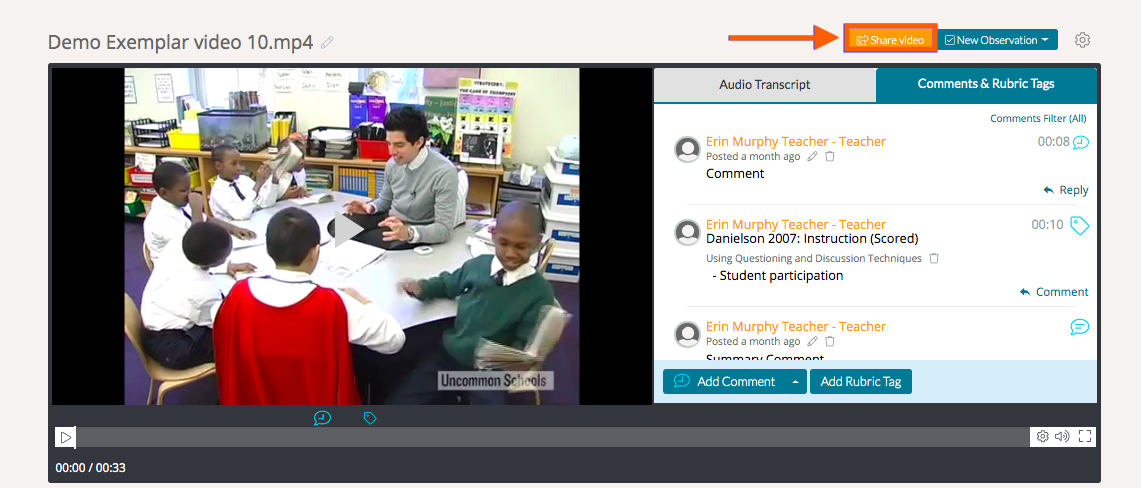
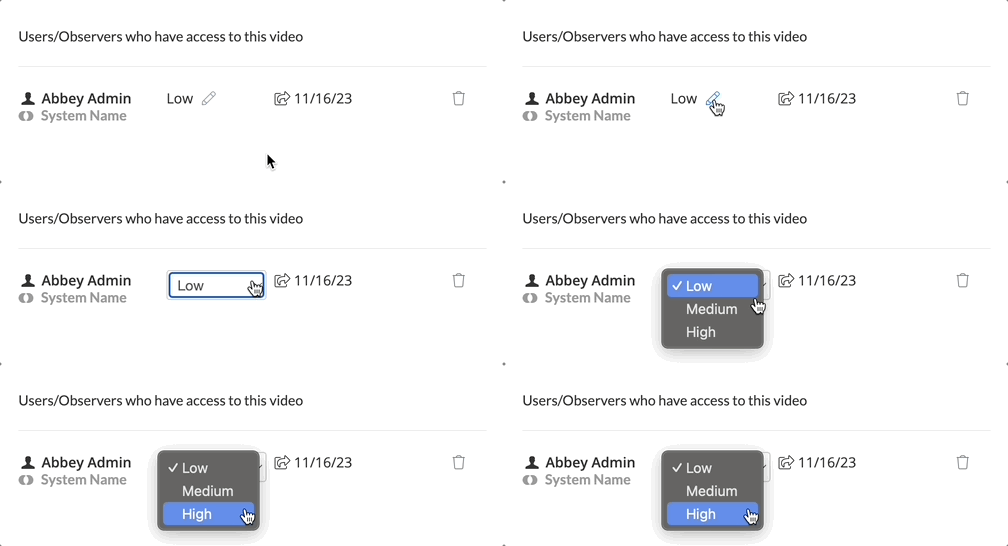
On the right side of the Share pop-up, you will see all the users/observers/groups who have access to the artifact along with their Sharing Permission levels.
To modify the user's Sharing Permission level, click on the 'pencil icon' next to their Sharing Permissions level to adjust as needed.
NOTE: You will only have access to adjust these settings depending on the Sharing Permissions originally granted to you when the file was originally shared with you. You will be have access to all Sharing Permissions levels if you were shared at 'High' permissions or if you are the original uploader of the file.
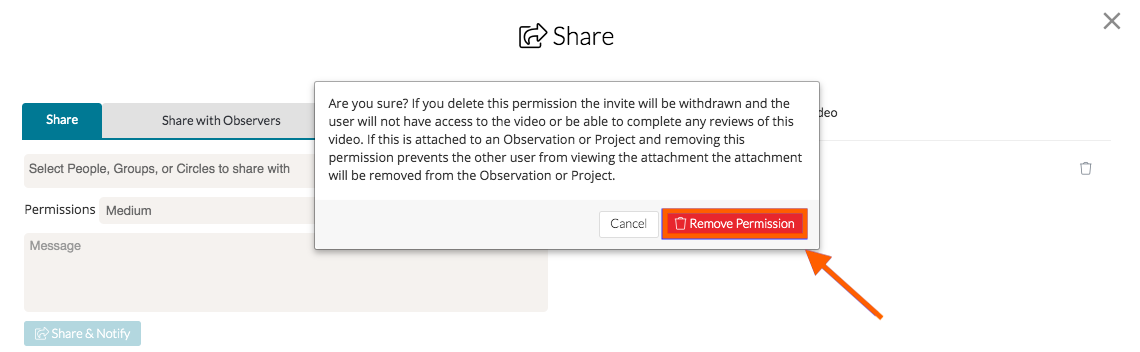
To un-share an artifact with a specific user/observer/group, click on the 'trash bin icon' next to their name.

You will then be asked if you are sure you want to remove this user's access to the artifact. If you are sure, click 'Remove Permission.'
Rather watch a video? Check out our tutorial on Sharing here. HIPAA users, click here.