With Goals in TORSH Talent, Admins, Coaches, and Mentees have access to the Receiving Coaching experience on their Goals Hub page!
As a Mentee, this will be your primary view for displaying your assigned goals. Through this view, you can author new goals yourself and track the completion of goals assigned to your account in TORSH Talent.

Contents:
Goals Hub
From the Delivering Coaching view, your Hub page will display a 'Your Goal Insight' view, wherein you can quickly route yourself to:
- View My Goals - routes you to the 'My Goals tab.
- Create New Goal - routes you to author a new goal.

If you have access to our Goals AI Assistant add-on, you will also have an AI assistant from this view wherein you can walkthrough authoring a new goal via the AI assistant.
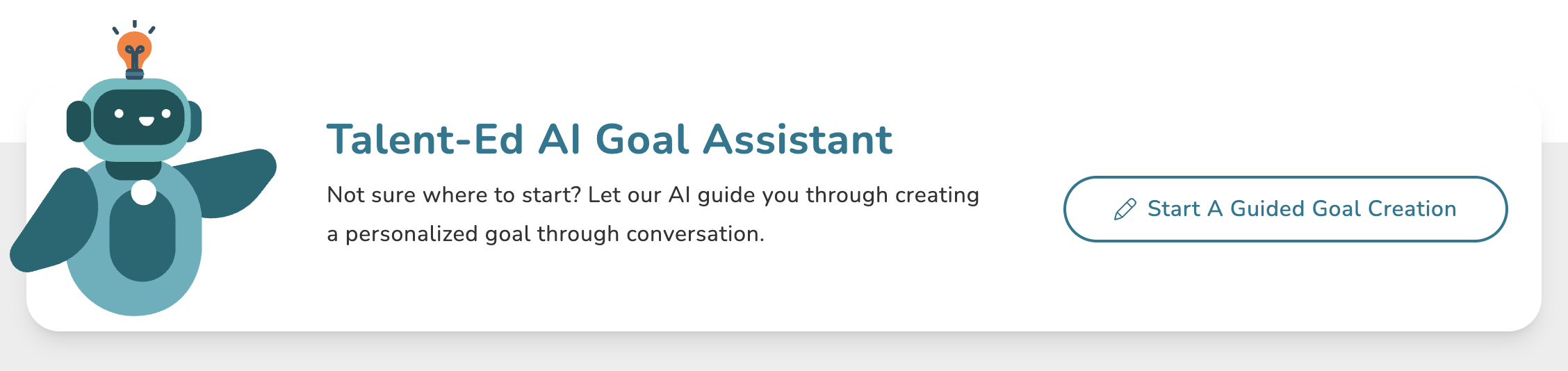
Further down this page, you can quickly view My Recent Goals for a summary of recent goals assigned to you.
My Goals
Your My Goals tab from a Receiving Coaching view will display all goals created for you. At the top of this page, you can click the 'Create New Goal' button to create a goal. Learn more about authoring new goals here .

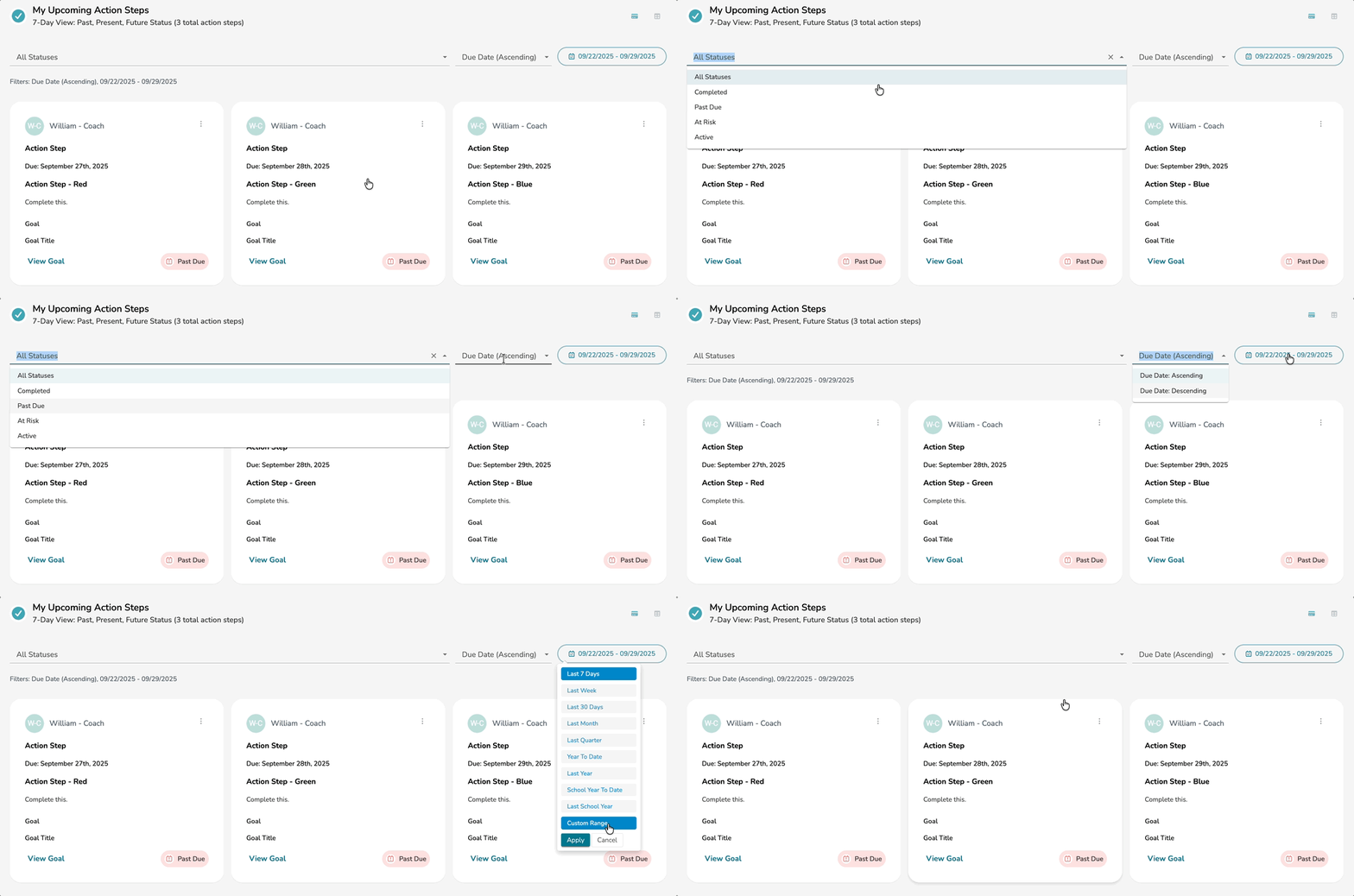
Near the top of this page, you will find a table for My Upcoming Action Steps. This table displays a 7-day view of your upcoming Action Steps in the goals assigned to you. Here you can filter the displayed action steps by Action Step Status and Start/End Date Range.
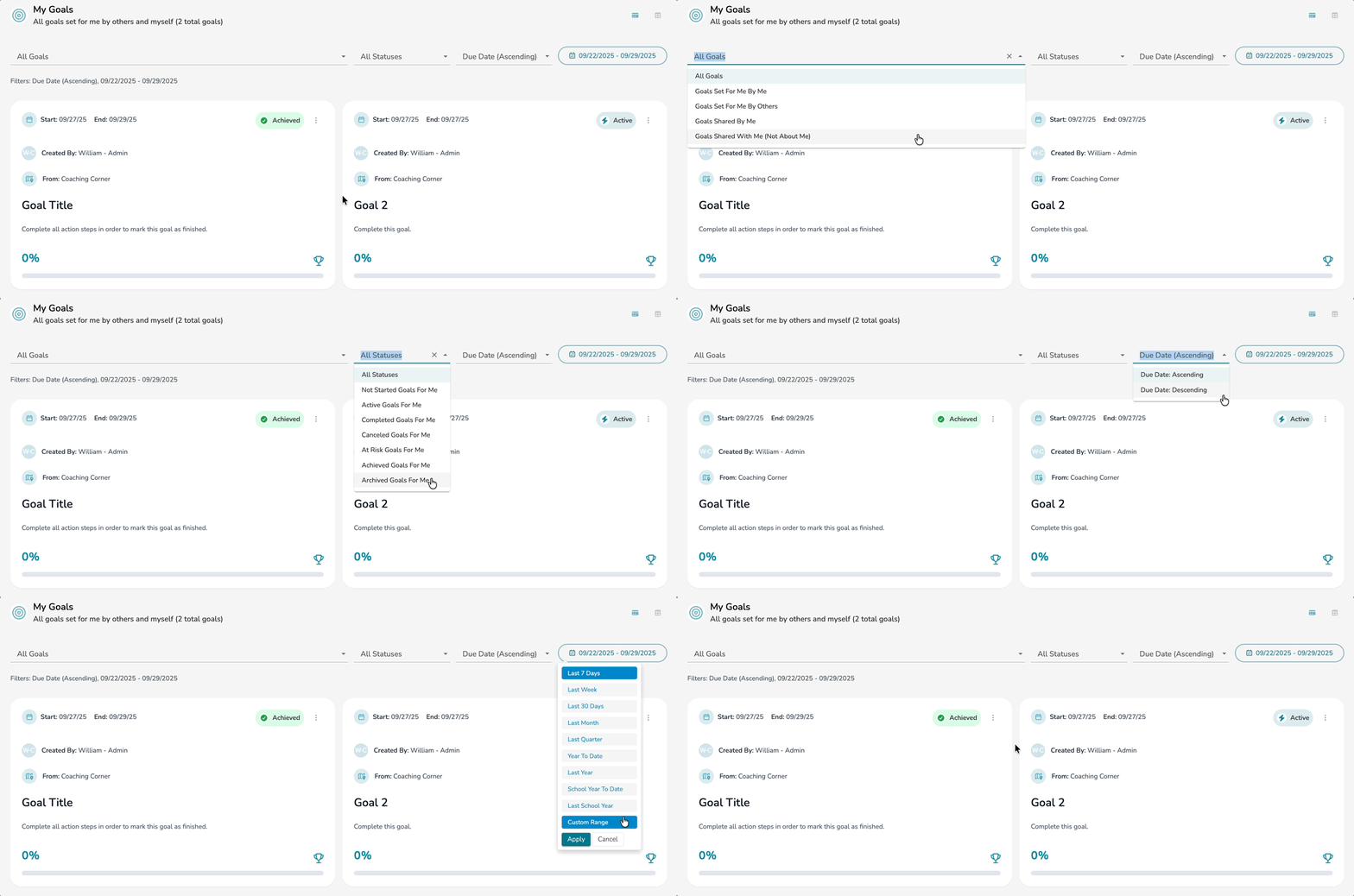
Further down the page you can view your My Goals table, which displays all goals assigned to you, and filter and sort based on Goal Assignment, Goal Status, Keywords, and Start/End Date Range.
At the bottom of your My Goals page, you will also find a small Dashboard for:
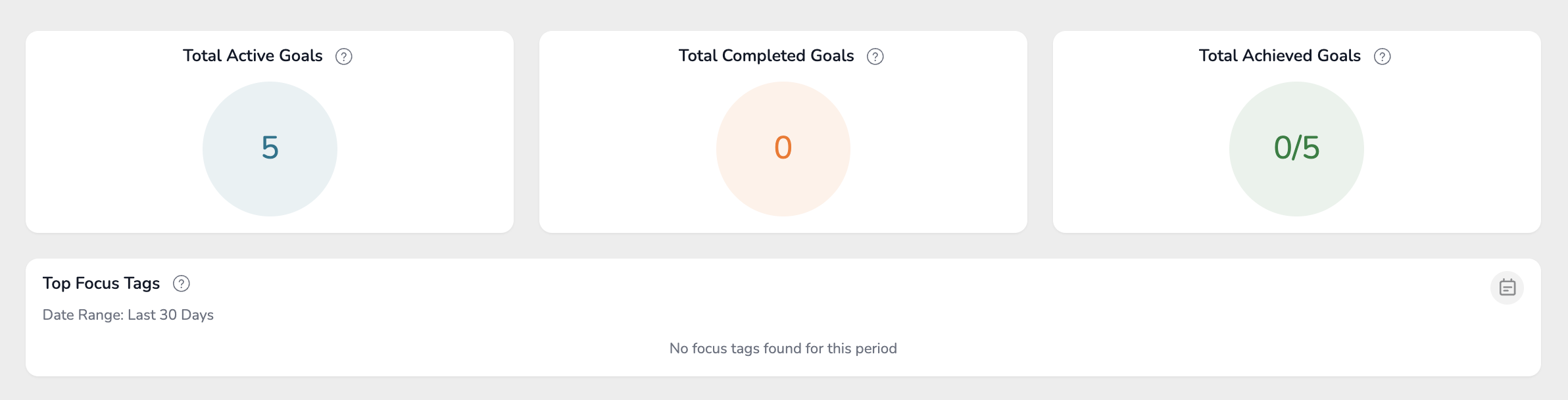
- Total Active Goals - The number of in-progress goals about you (the mentee) that either you or other coaches are managing.
- Total Completed Goals - The number of goals that you have completed.
- Total Achieved Goals - The number of goals that you have achieved.
- Top Focus Tags - Top focus tags across your goals in the selected period.