

Networked PLCs (Professional Learning Communities) are organization-wide connections for collaborating across TORSH Talent systems within our Network Architecture feature. By default, each system of TORSH Talent is closed and private, meaning that only people who have been invited to create an account in a system can only view, access, use, and share resources in their designated Talent system. However, with a PLC in use, resources, files, forums, and video calls can be shared across systems of your Network!
The settings for Networked PLCs are managed by a Network Admin. This account type has higher access than a System Admin account, and it is only available to customers with Network Architecture enabled. To enable the PLC connection between systems, the Network Admin must navigate to their Management Panel and select 'PLC.'
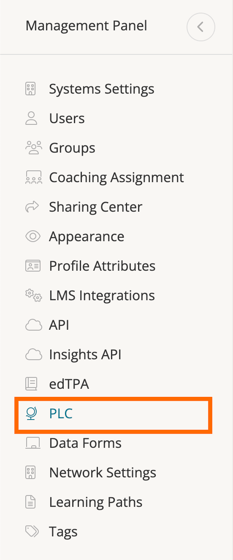
Once PLC is selected, all of your TORSH Talent Systems will be listed. You can choose to include all systems in the PLC or individually select the systems you'd like to include. Click the button (see below) to the right of each system's name to enable those that you want to participate in your Network PLC.
 Included in PLC
 Excluded from PLC