
On the TORSH Talent HIPAA-Secure (Talent HS) platform, we have further security measures in place to ensure that specific, identifying data can only be seen by those who need to see it. As a rule of thumb, you can only see all data associated with artifacts (videos, documents, data forms, goals, etc) that have been explicitly shared with your account directly in Talent HS.
If some of the actions performed you have filtered for in Report Builder appear with 'Redacted' column data, it is because you have not been shared the material being referenced in the report and thus do not have permission to view that associated data.
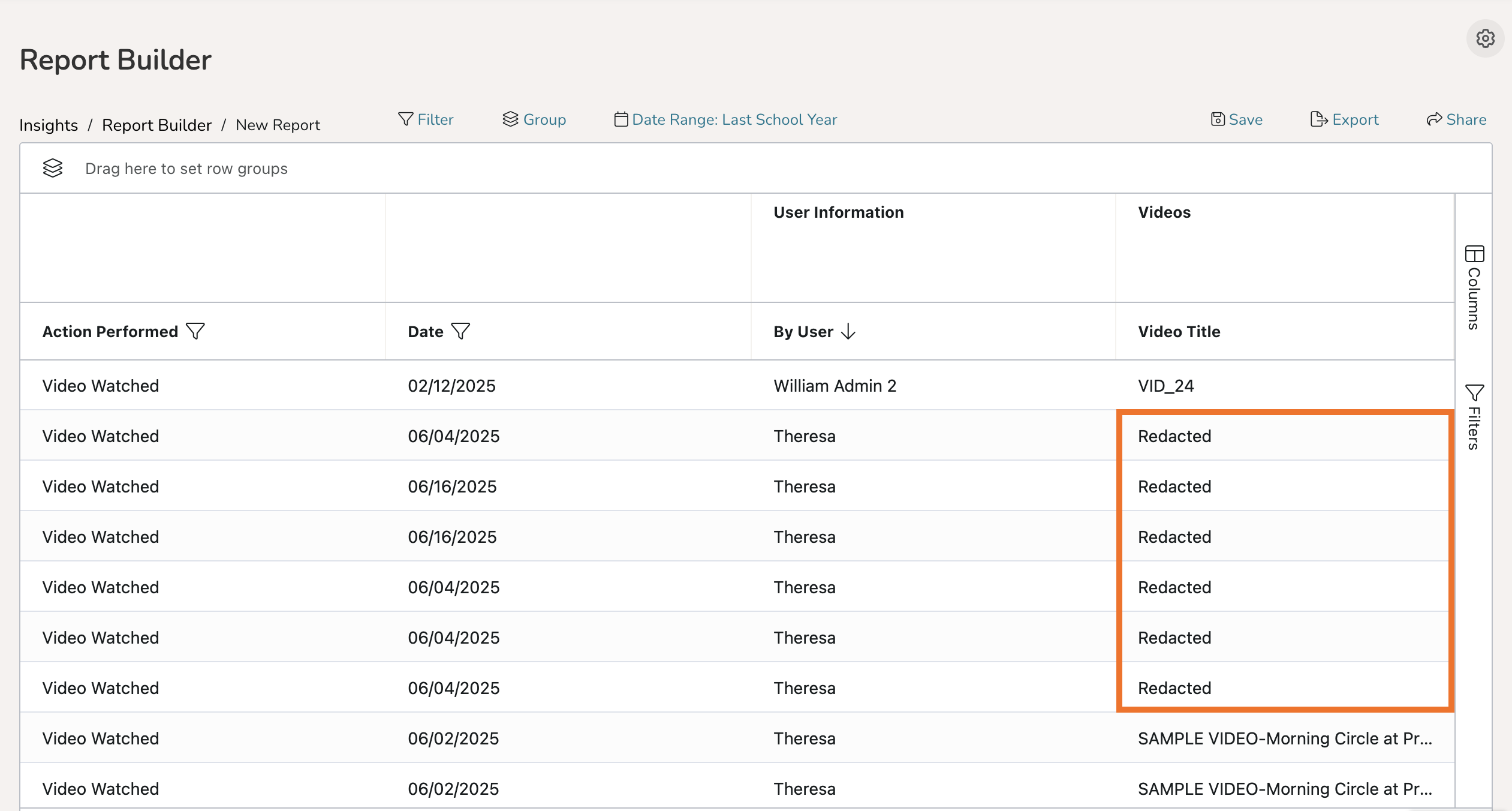
Please request the owner of the artifact to share the item with you on Talent. Once the artifact is shared, then its associated data will be made available to you in Report Builder.
NOTE: Sometimes video/file upload attempts can get stuck in an upload loop due to the 'Automatic Upload' setting of the TORSH Talent mobile app, and the 'Redacted' entries you see are actually listings for failed upload attempts.
Please make sure the owner of said artifacts ensures that all of their uploads in the TORSH Talent Mobile App have fully processed before closing the mobile app out. The TORSH Talent Mobile App must remain open in order for all uploads to fully process, or else they will cancel out when the app is closed.